

“Call of Duty: Modern Warfare 3” (MW3) has been an exciting experience for players all over the world, but it has had its share of technical issues. MW3 Error Code 14515 is one such issue that has caused many people to be frustrated. This problem has become a significant barrier, preventing users from connecting to game servers and enjoying uninterrupted gameplay. In this article, we will look at the sources of the issue and provide specific solutions.
Related: How To Get Decomp Bombs Equipment Pack in MW3
What is The Error Code 14515 in MW3
Error Code 14515 in MW3 typically occurs when the game servers are overcrowded or down. This issue is reminiscent of the Travis Rilea error from the previous iteration of the game, MW2, and has been a common complaint since the launch of MW3. The error prevents players from joining multiplayer matches or sessions, causing significant disruption to the gaming experience.
What Causes The Error Code 14515
The primary cause of the MW3 Error Code 14515 is server overload. This can happen during peak gaming hours when a large number of players are trying to access the game simultaneously. Additionally, server maintenance or technical issues on Activision’s end can also lead to this error.
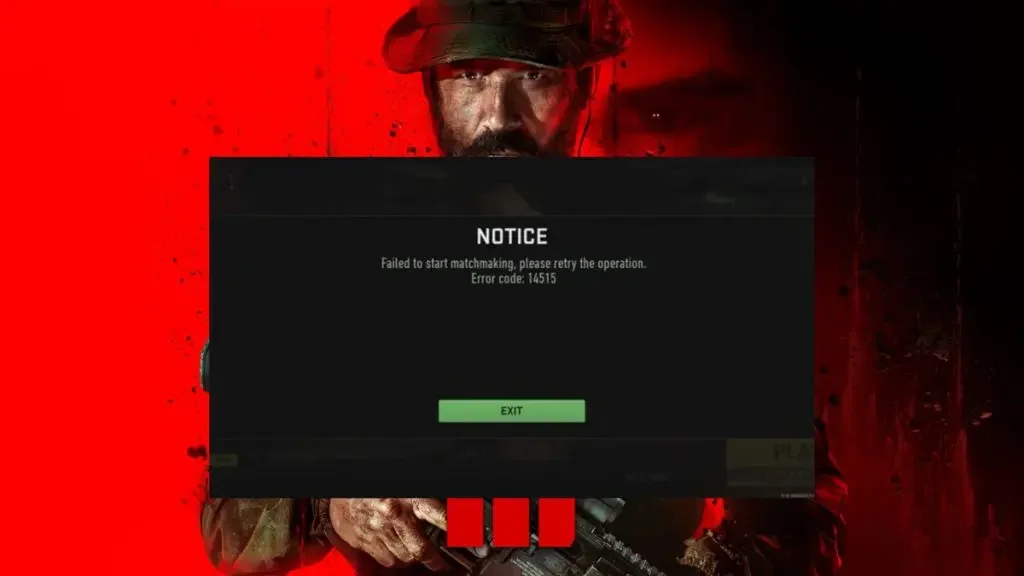
Fixing The Error Code 14515 in MW3 (Solution)
Restart the Game: Often, a simple restart of MW3 can help re-establish a connection to the game servers. This means completely shutting down the game and restarting it.
- Check Server Status: Before attempting other solutions, it’s wise to check the current status of MW3 servers. Activision Support provides a dedicated website for checking server statuses.
- Restart Your Device: Whether you’re playing on a PC or console, restarting your device can clear temporary files and reset your connection to the game servers.
- Check Your Internet Connection: A stable internet connection is crucial for connecting to MW3 servers. Ensure that your internet service provider isn’t experiencing issues.
- Play During Off-Peak Hours: If the error is due to server overload, try playing during times when fewer players are likely to be online. This varies depending on your region.
- Patience and Re-Attempts: Sometimes, the only solution is to wait and try connecting to the servers later. Server issues are typically resolved by Activision, and re-attempting after some time can be successful.
Other Solutions To Try
Stay Updated: Keep your game updated to the latest version. Sometimes, compatibility issues with different game versions can contribute to connection problems.
Monitor Community Forums: Keep an eye on community forums and official MW3 social media channels for any announcements regarding server issues or maintenance.
To Wrap it all Up
The MW3 Error Code 14515 is a typical issue that can frustrate players eager to get into the game. However, by recognising the causes and implementing the methods indicated above, gamers may frequently overcome this challenge. Remember, patience and staying informed are essential. With these tactics, you’ll be back playing “Call of Duty: Modern Warfare 3” in no time.
Suggested Read: How to Fix Join Failed Different Version in MW3